
Replacing Bad Vram via Screenshots
When you are replacing ram in a Colecovision you may or not know which chip(s) have gone bad, and then left with the task of identifying the bad ones. With this guide, we'll try and help you determine which one(s) are defective based on the title screen. Note: This information is provided in the Colecovision technical manual (download the ColecoVision Technical Manual, PDF, near the end).
As you can see the Colecovision has a strange way to identify the ram in the image below, and they are not in any real order. Have a look.
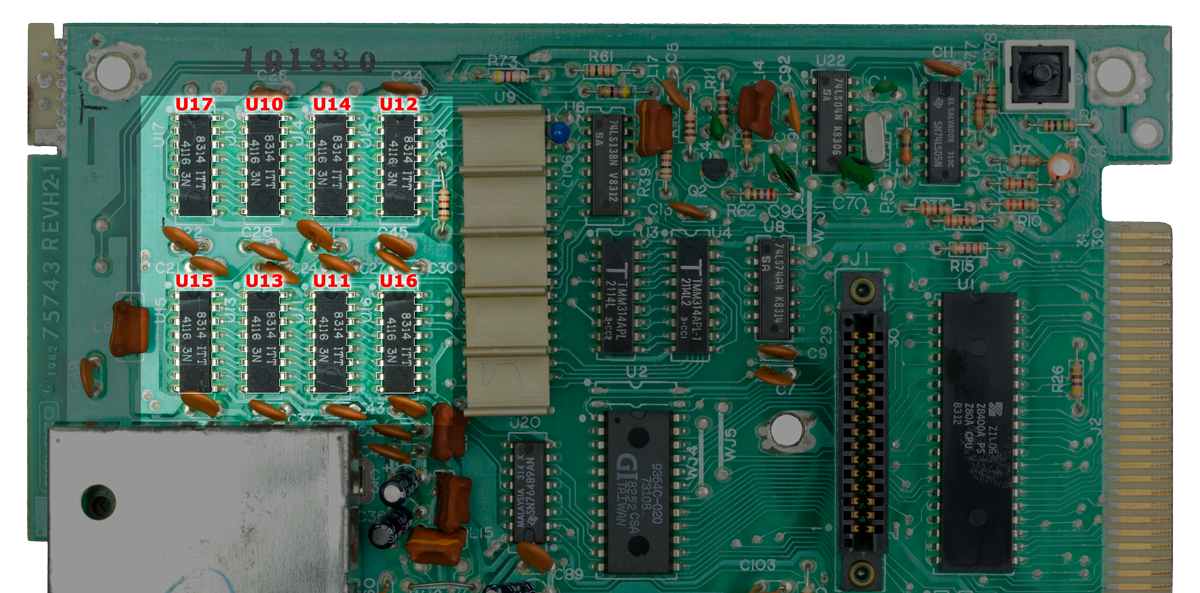
Based on the way your cartridge-less screen looks when you turn on the console, that will determine which (v)ram chip has gone bad. Can it be that simple? It might be.
Here are the various screenshots. These should be very accurate.
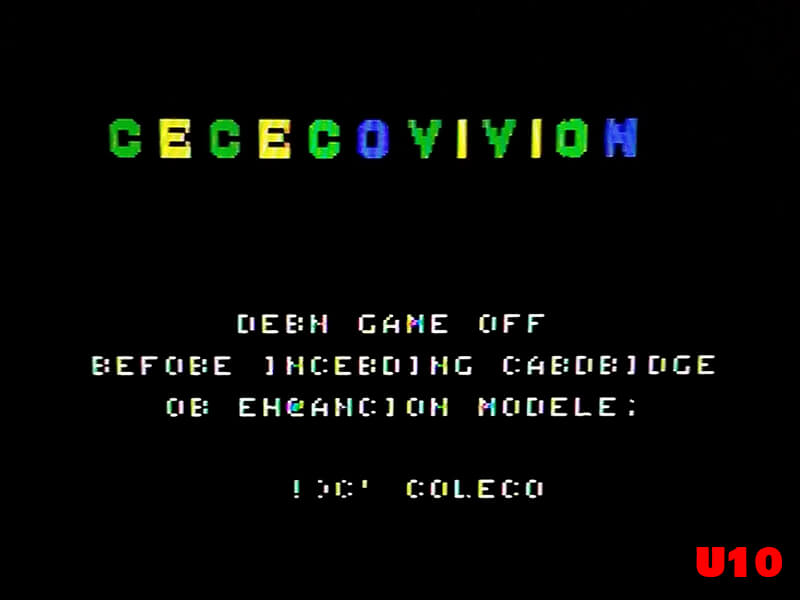
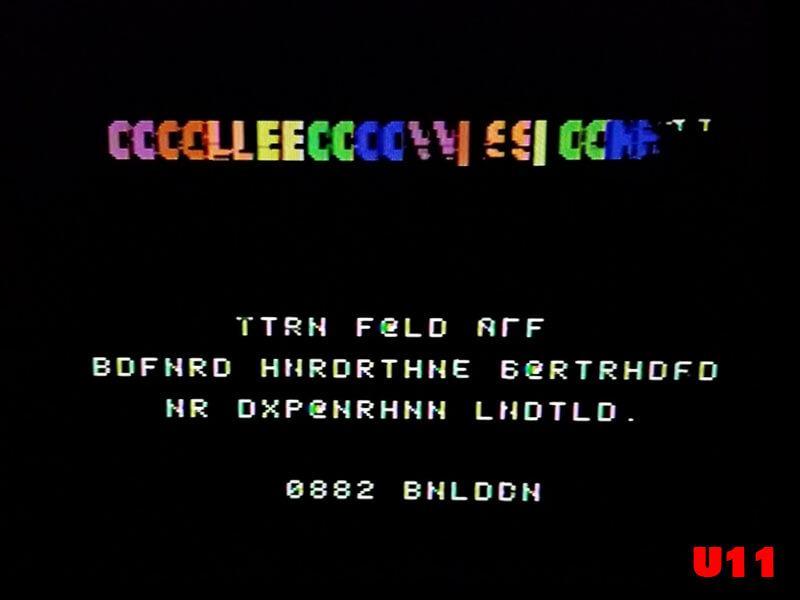
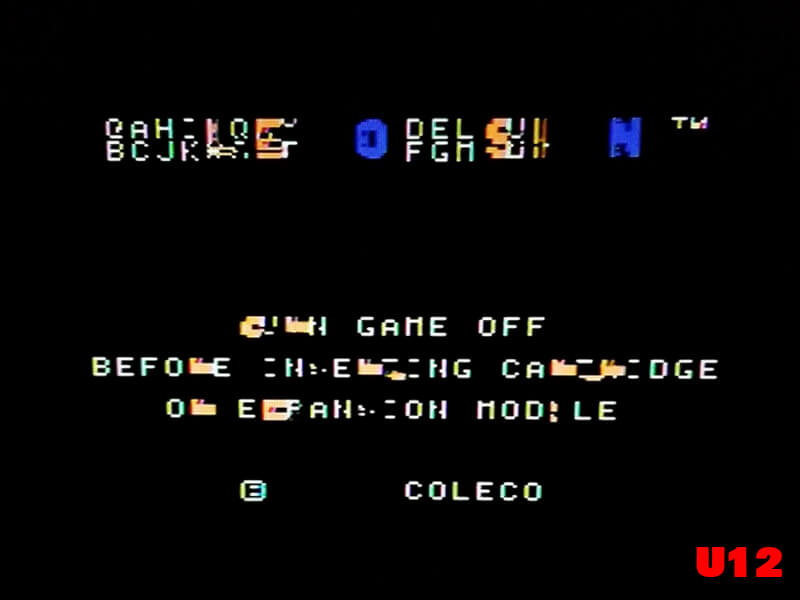
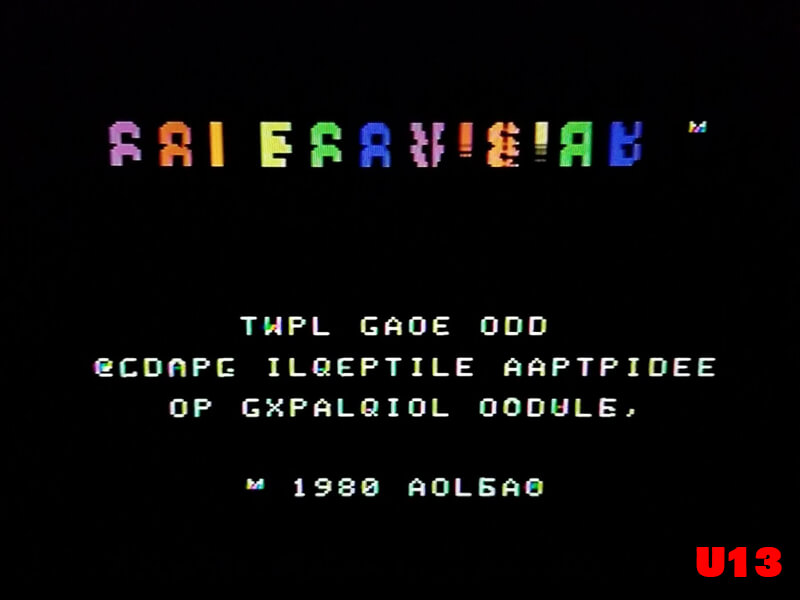
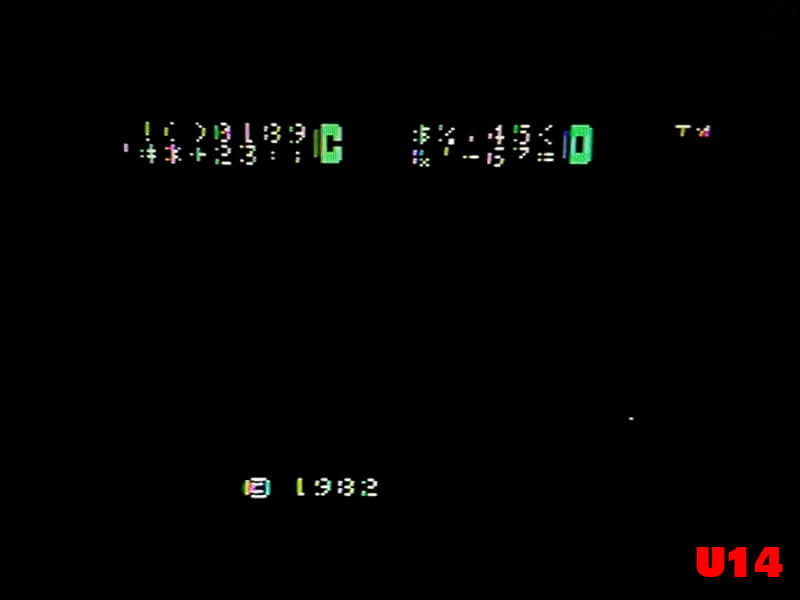
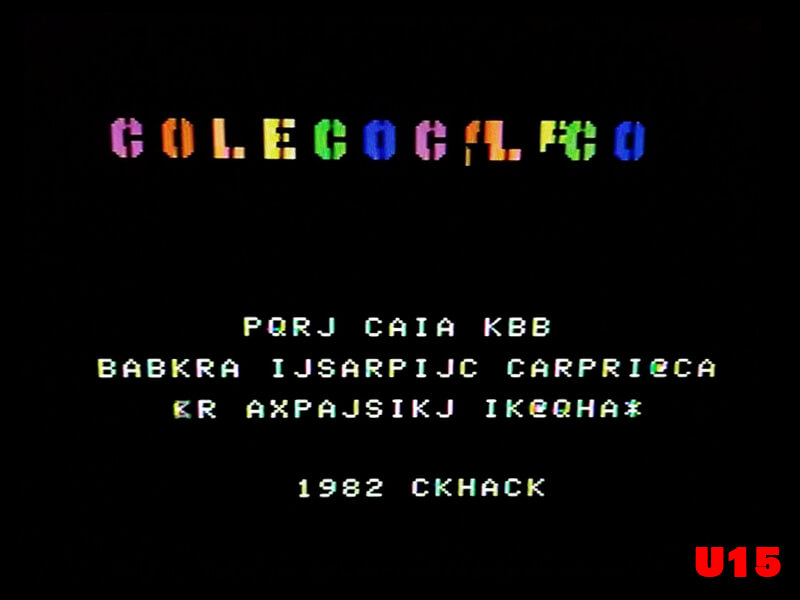
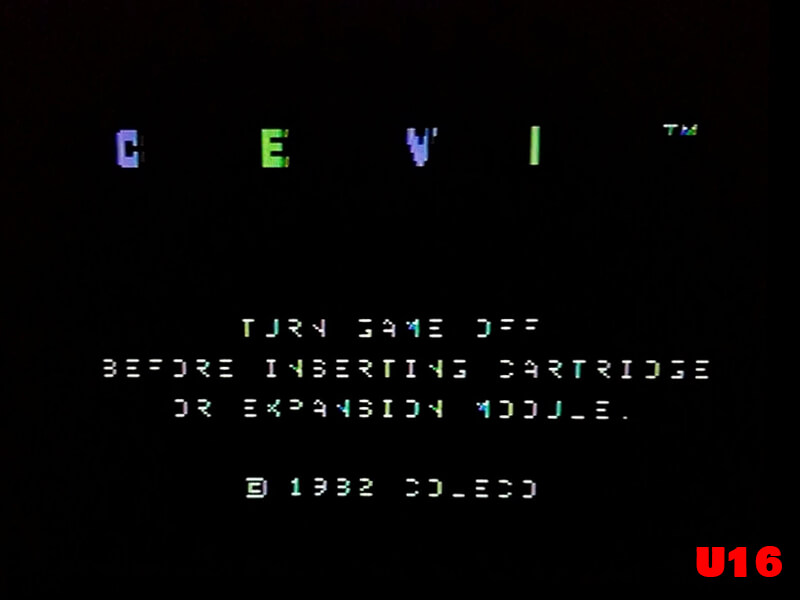
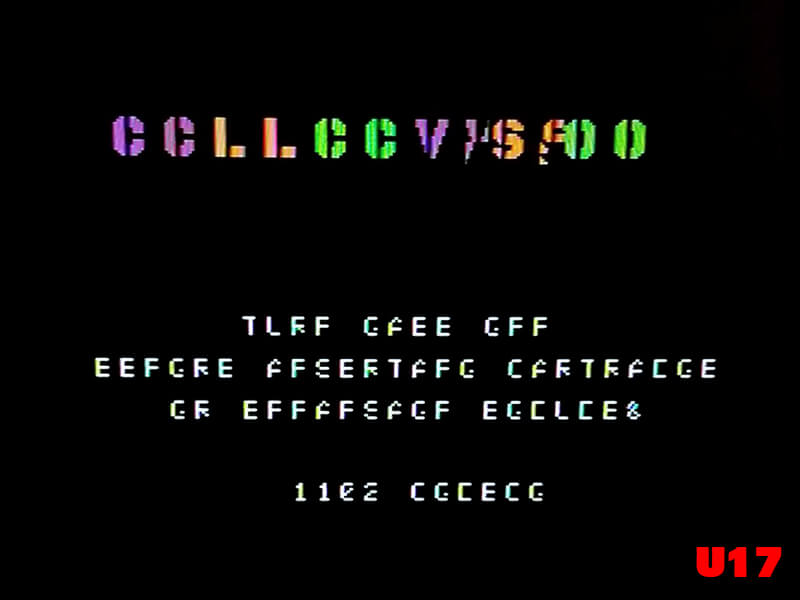
Please note that these are not 100% fixes, but at least they will get you going in the right direction!
Original images provided by Alan Barringer, thanks man!
Article from the archived cvaddict.com (ColecoVision Addict).