
Power Switch Replacement
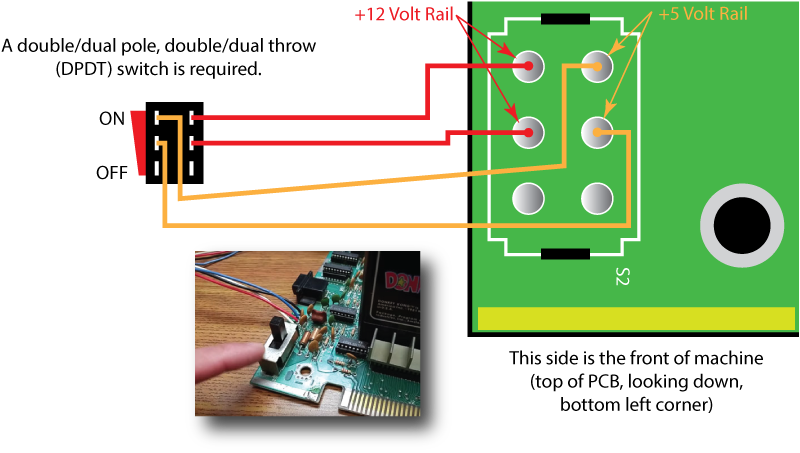
Suggested power switch from Digikey (Digi-Key part CKC5105-ND)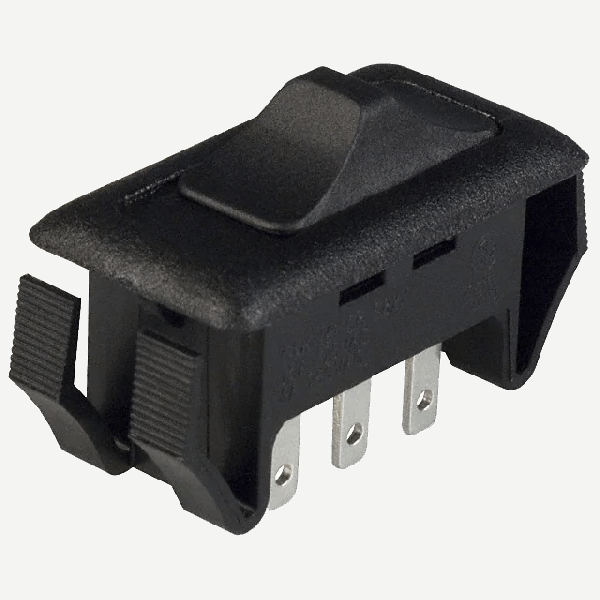
The reality is, the stock Colecovision power switch gets dirty over time and becomes increasingly unreliable. Thus, making the above 5 and 12 volt rails intermittent causing unwanted artifacts on screen. Replacing it will give the Colecovision the consistent power it needs!
Steps
- Open your console in order to have access to the Colecovision PCB/motherboard inside.
- Locate the power switch on the PCB, and remove it by desoldering it. Start by removing the solder from the bottom.
- Using a pair of male and female old PC hard disk molex connectors, solder the female/male molex to the PCB and the male/female end to the switch. This is easy detachment between the PCB and the switch/case in the future in case of needed repair.
- Depending on your switch purchased, you made need to modify the top portion of the case of your Colecovision to make it fit.
- Reassemble everything.
Video tutorial by Arcade USA (below)
Article from the archived cvaddict.com (ColecoVision Addict).