
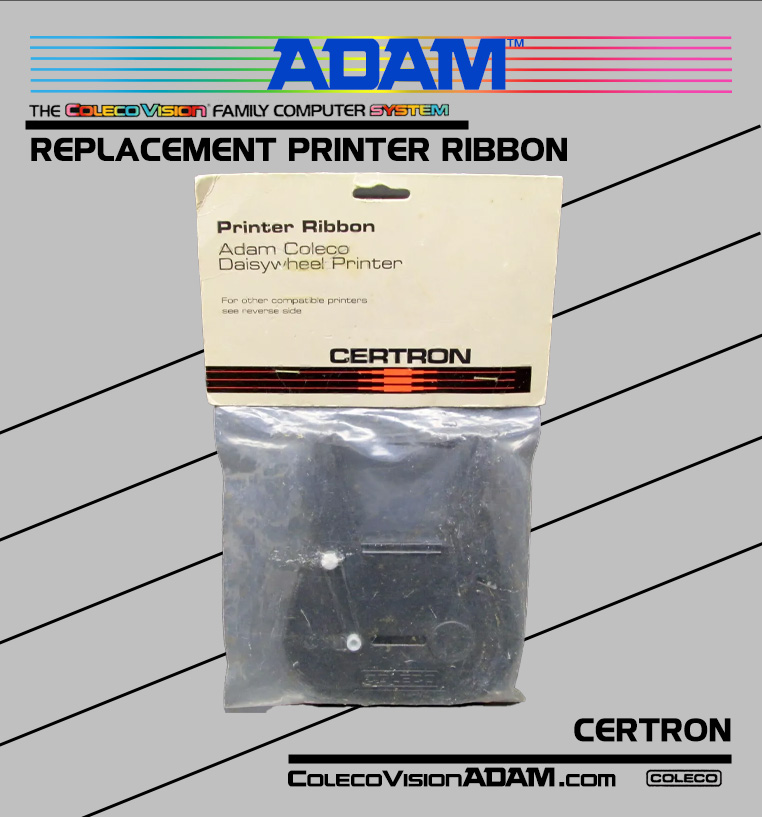
ADAM Printer Diablo Hy-Type I Ribbon (Certron)
- Publisher / maker
- Certron
- Category
- Hardware
- Catalog ID
- CVH-0266
- Region
- United States
- Type
- Printer and Supplies
- Platform
- ADAM
- Status
- Released
- Listed by
- DiRoccoVision (ColecoVisionADAM.com)
- Serial registry
- None registered yet
The Coleco ADAM Printer Ribbon relies on a vintage standard layout that makes it entirely compatible with third-party typewriter supplies, most notably the Diablo Hy-Type I (Group D202) ribbon cartridges. Because Coleco sourced the core mechanism for their SmartWriter Daisy Wheel Printer from established typewriter layouts, standard office supplies from brands like Certron can be dropped straight into the machine. Core Compatibility Layout The Blueprint: The only ribbon architecture that is 100% physically compatible with the Coleco ADAM SmartWriter printer is the standard Diablo Hy-Type I footprint. Multi-Strike Film: Certron and other office accessory brands manufactured these as "Multi-Strike Film Ribbons." Unlike single-use carbon ribbons, multi-strike variants advance slightly per hammer blow, allowing the physical wheel characters to strike the same section of film multiple times before shifting. This significantly extends the operational lifecycle of a single cartridge. Color Configurations: While standard black is the default choice for processing word files, manufacturers historically distributed vintage variants in red, blue, and brown ink configurations. Mechanical Installation Precautions When swapping a vintage Certron or replacement cartridge into the ADAM printing frame, builders must track precise physical parameters to prevent mechanical breakdowns: The Ribbon Advance Knob: Before snapping the cartridge down onto the carriage assembly, the manual ribbon advance knob on the corner of the plastic housing must be twisted slightly in the direction of the arrow. This tensions the internal film and removes slack, preventing the internal gears from snagging and jamming the printer carriage Rarity (colecovisionadam.com): · Complete R9
Sign in or join free to add this to your collection or wishlist.